Documenting Your Setup
Using NetBox to Document and Manage a Home Lab
NetBox is a powerful open-source tool designed for network infrastructure modeling and documentation. In a home lab environment, it serves as a single source of truth for managing devices, connections, and configurations.
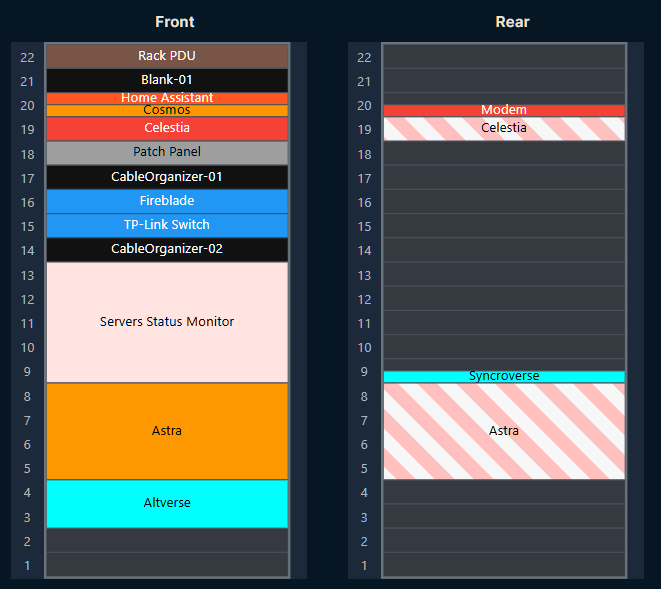
📦 Rack Visualization
- Visualize your equipment in a rack layout.
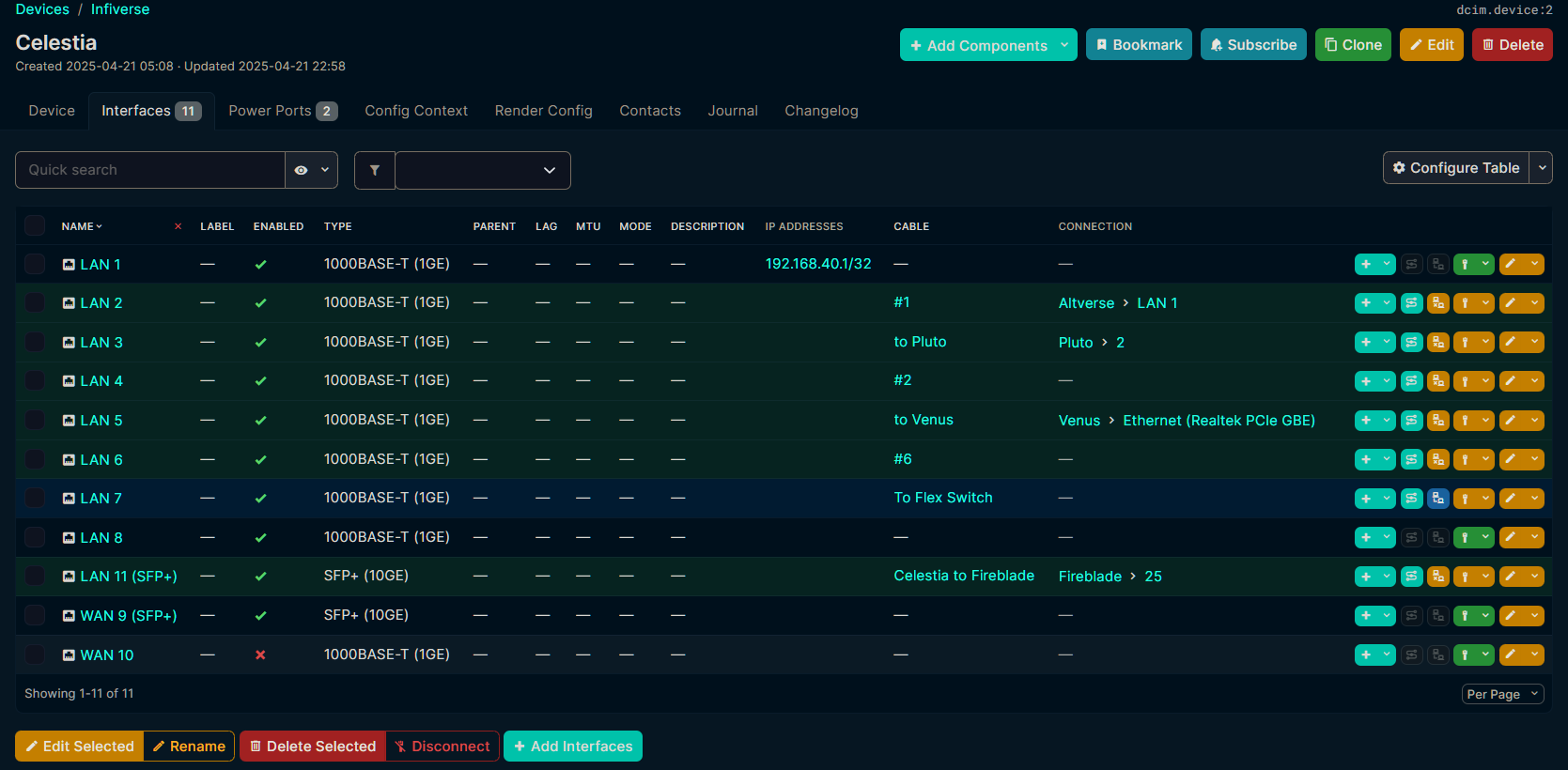
- Click through each device to view interface-level details.
- Monitor rack space utilization to plan future expansions.
🔌 Cable Tracing
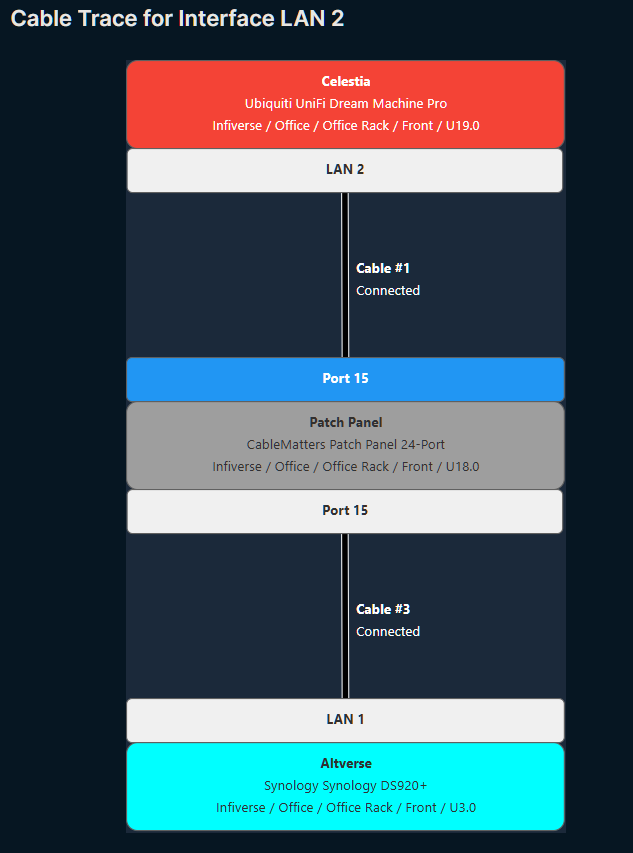
- Trace physical cabling from one device to another.
- Identify patch panel connections and rear/front port mappings.
- Simplify troubleshooting by visualizing end-to-end connectivity.
🌐 IP Address Management (IPAM)
- Manage IP address allocations, subnets, and VLANs.
- Track IP usage and avoid conflicts.
- Model network segmentation and routing schemes.
⚡ Power Management
- Add power feed information to devices.
- Monitor power utilization per rack or device.
- Plan for redundancy and load balancing.
🧠 Device Inventory
- Maintain detailed records of all hardware components.
- Track serial numbers, asset tags, and device roles.
- Group devices by site, rack, or function.
📜 Change Logging and Journaling
- Log changes to devices, interfaces, and configurations.
- Add journal entries for maintenance history or notes.
🔄 Automation and Integrations
- Integrate with tools like Ansible, Nornir, and NetBox plugins.
- Use the REST API for dynamic inventory and automation pipelines.
🧪 Virtualization and VM Tracking
- Document virtual machines, clusters, and host relationships.
- Track virtual interfaces and IP assignments.
📡 Wireless and VPN Modeling
- Model WLANs, SSIDs, and wireless controllers.
- Define VPN tunnels and IPsec/IKE policies.
NetBox is especially useful in home labs where experimentation and frequent changes are common. By centralizing documentation and infrastructure data, it helps maintain clarity, reduce errors, and support automation workflows.
Using Obsidian in Home Lab Documentation
While NetBox excels at managing network topology and physical infrastructure, Obsidian provides a flexible, markdown-based note-taking platform that’s ideal for capturing technical documentation, personal insights, and frequently referenced information.
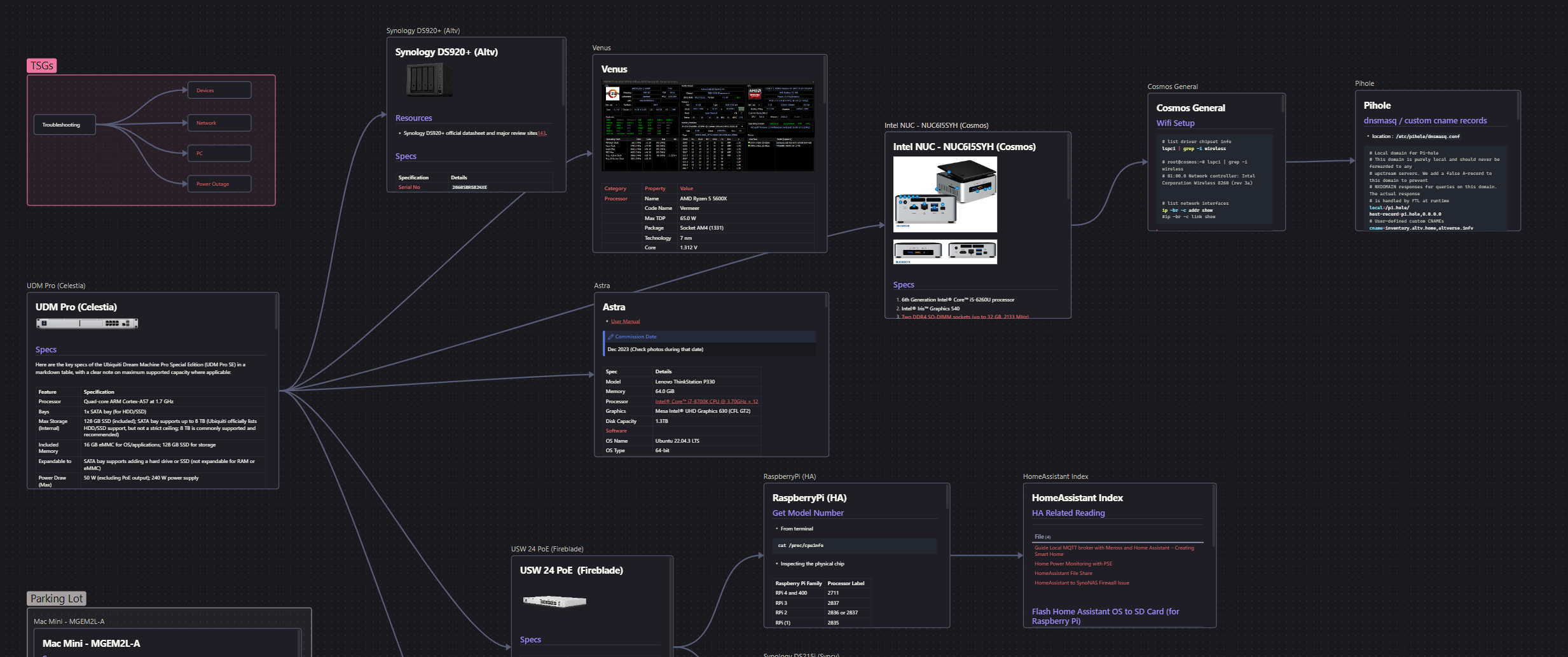
🗂️ Canvas-Based Topology & Documentation
- Create Obsidian Canvases to visually map your home lab layout.
- Link canvas cards to markdown files for each device or service.
- Use visual groupings to represent network zones (e.g., DMZ, Core, IoT).
📝 Device-Specific Notes
- Capture detailed specs, serial numbers, OS versions, and hardware configurations.
- Log user guides, warranty info, and BIOS/firmware versions.
- Example canvas blocks:
- UDM Pro: Specs, power usage, VLAN config.
- Synology NAS: Volumes, apps installed, backup strategy.
- Raspberry Pi (HA): HA configuration, integrations, Zigbee/MQTT notes.
🔁 Workflow & Troubleshooting
- Maintain common troubleshooting guides for networking, DNS, updates, etc.
- Use Dataview queries to list and group devices by tags (e.g., “ARM-based”, “Ubuntu”, “VM host”).
- Add checklists for routine maintenance, upgrade paths, and experiments.
🧠 Knowledge Base
- Store cheatsheets for commands (
iptables,docker,usage, etc.). - Maintain notes on CLI usage, chipset configuration, and startup scripts.
- Link back to devices or tags using Obsidian’s powerful bidirectional linking.